
To print your checkout page so you can use this as a quote, do the following:
Step 1 - Once your schoolpacks order is in the shopping cart, proceed to checkout and fill in your address detail (in the checkout).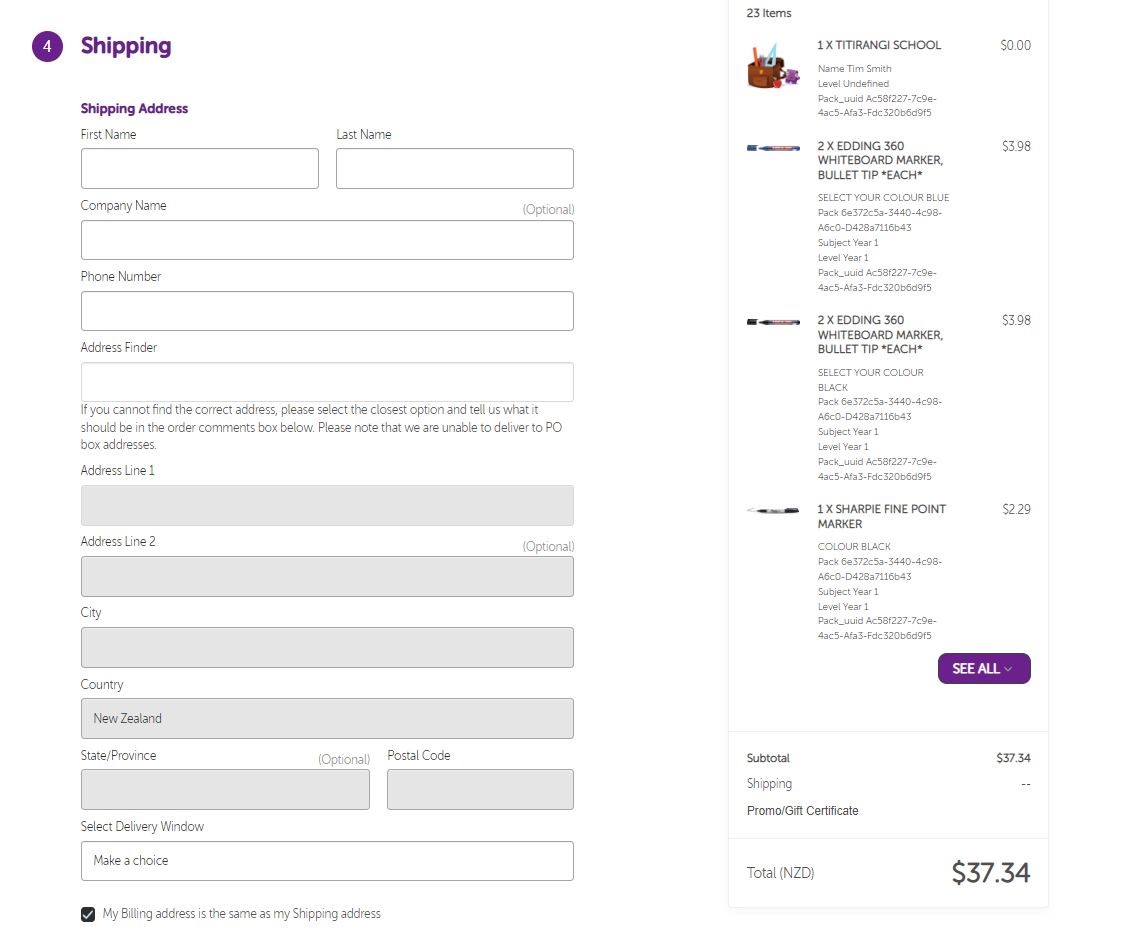
Step 2 - Selecting a delivery window will apply the shipping cost (if applicable).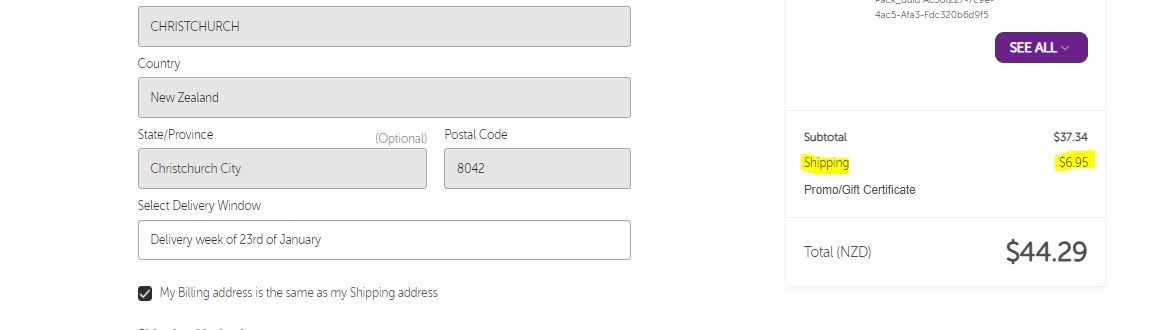
Step 3 - Press "Continue"
Step 4 - At the Payment Section, press the button "PRINT CART".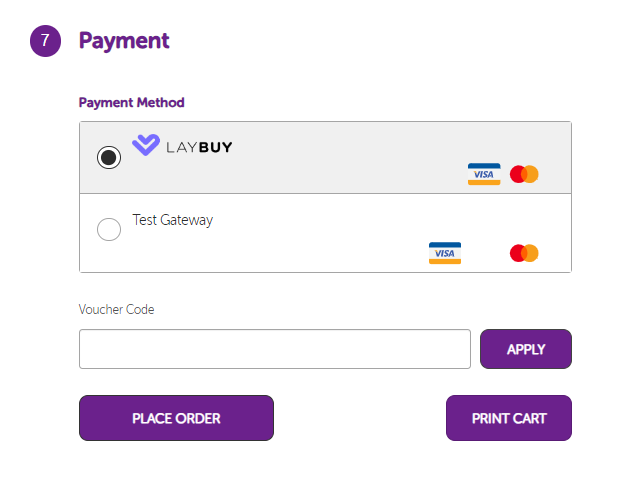
Step 4 - Change the destination from your printer to ‘Save as PDF’.
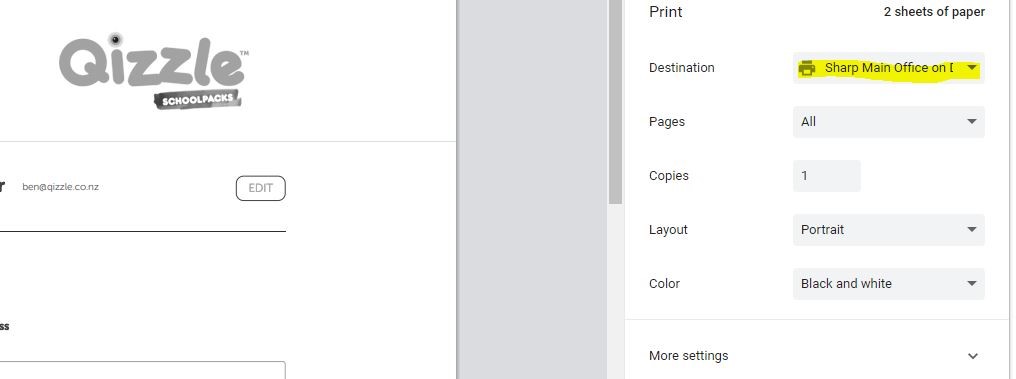
Step 5 - Press save to save the PDF file to your device. You can then attach this file to the email (that you will send to your case manager or other party that needs to authorise payment, etc.) 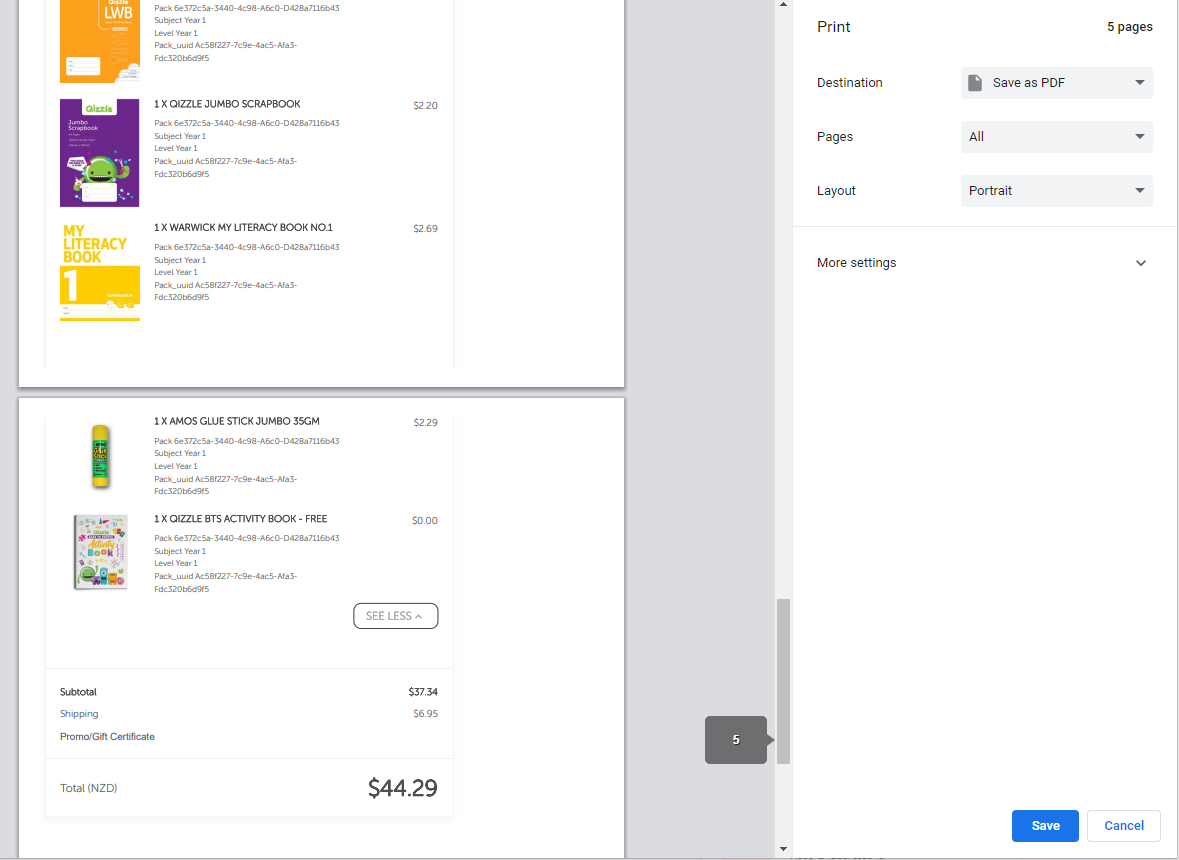
The last page of the PDF contains the total value of the order, including GST.